Your domain. A real inbox. Run by your AI.
Point a domain you own at Parsons Email and you get an actual mailbox — IMAP and SMTP, so it opens in iPhone Mail with one tap — plus an agent that files the noise and drafts the replies, and 20 MCP tools so your own Claude or ChatGPT can run it.
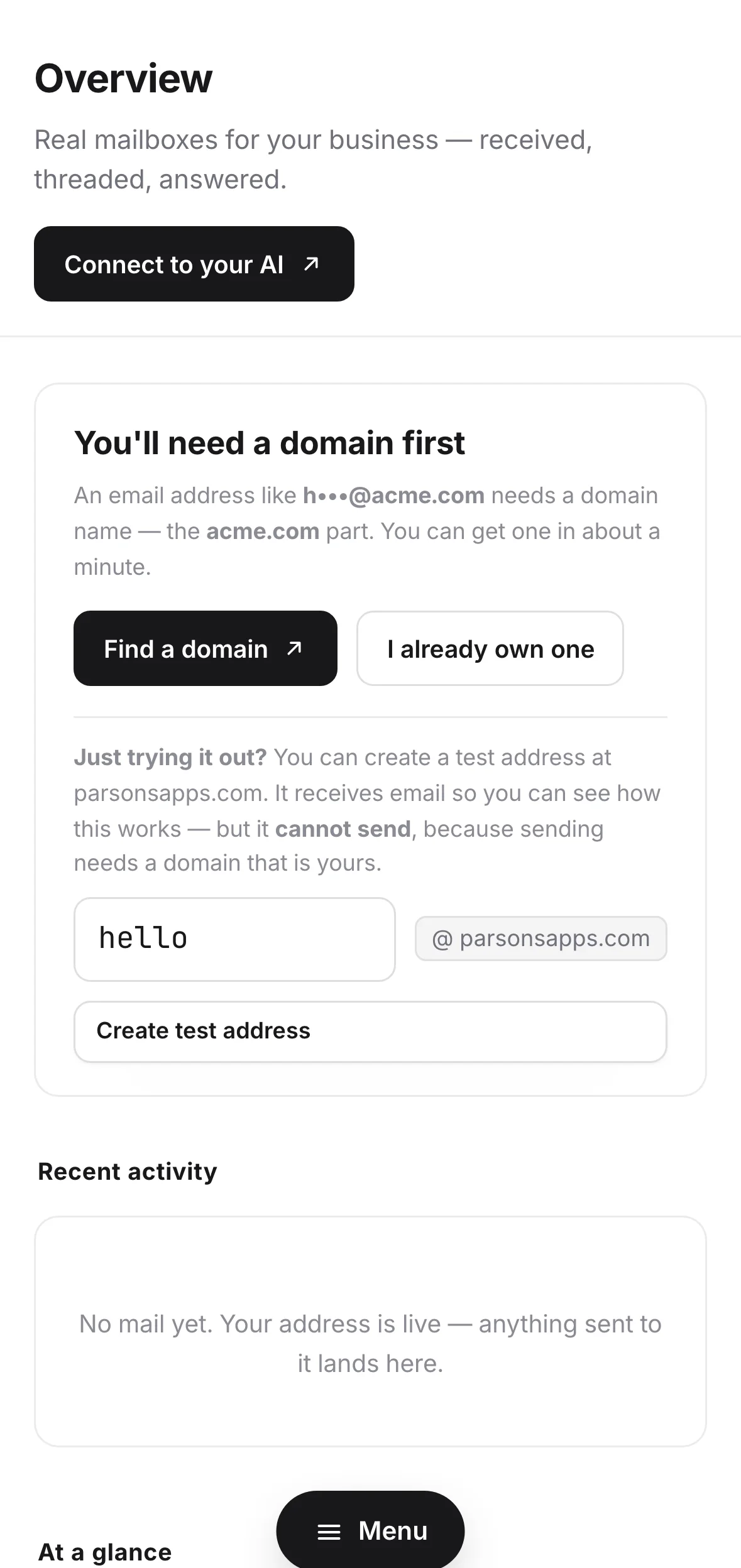
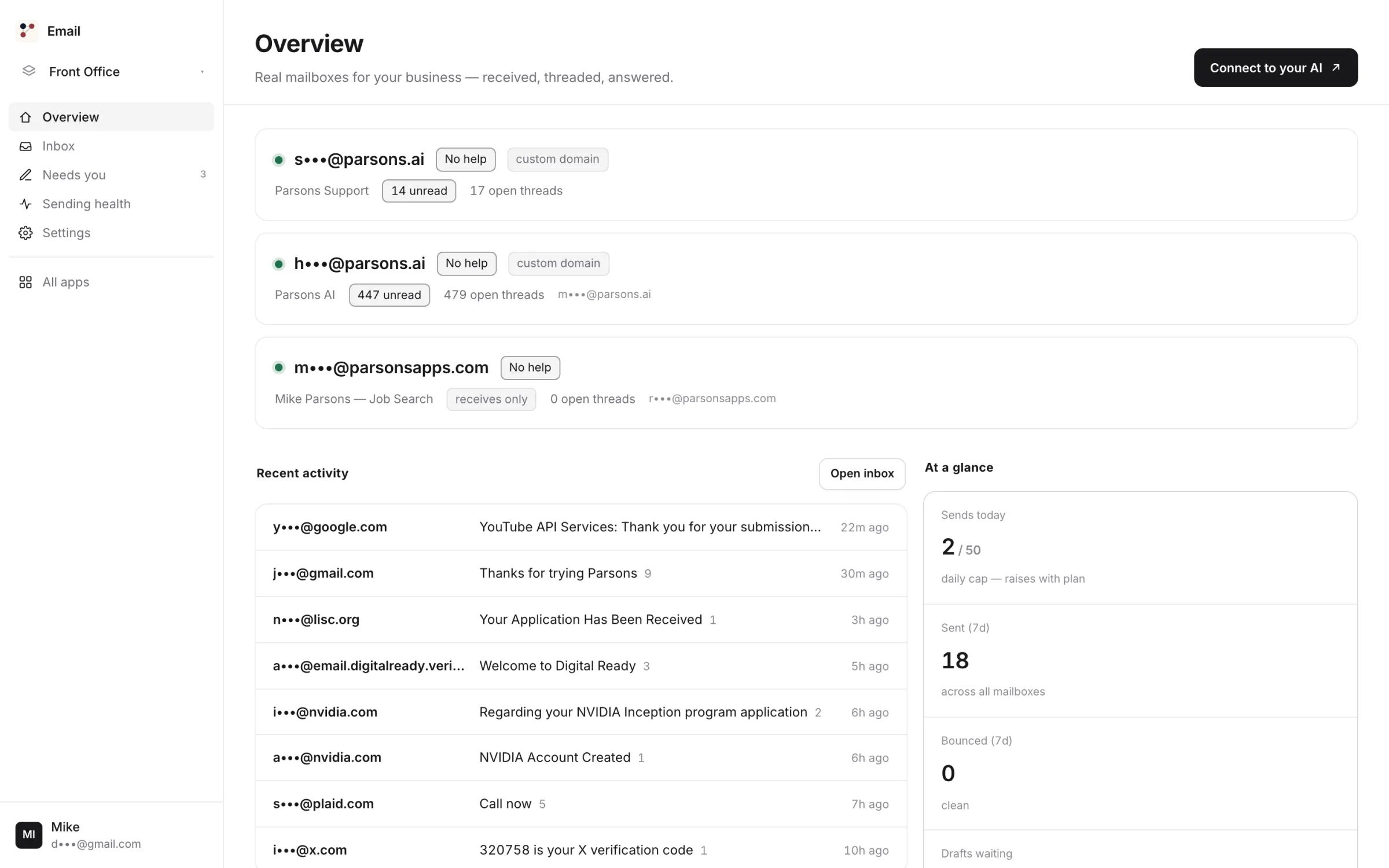
The shared @parsonsapps.com address receives; sending requires a domain you own.
Right now, hello@ is a forwarding trick.
A domain, an MX record pointed at your personal Gmail, and a reply that goes out with your personal name on it. It works right up until a customer looks at the From line.
costs nothing
and shows
Every AI inbox is a tenant in Google's house.
The AI-email category is layers. They need an OAuth grant into your Google or Microsoft account, and that grant is a standing credential into your mailbox, held on their servers. Parsons Email is not a layer. It is the mailbox — Cloudflare delivers to it, it is stored here, it is threaded here.
because there is no
third-party mailbox
Missive · Front
Google Workspace
A layer product cannot copy this: the moment Superhuman becomes a mailbox it stops being a Gmail client. On MCP we are no longer alone — as of August 2026 Fastmail ships an official MCP server, Superhuman ships one, and Google’s Workspace MCP servers are in developer preview. What none of them changes is whose mailbox it is: those surfaces sit on an inbox someone else holds the keys to. This is a structural difference, not a feature race.
One address receives. The other one sends.
The address on our shared domain is genuinely useful — a contact-form inbox, a place to read, a way to try the whole product. It cannot send. Sending mail as you requires a domain you own, because that is the only way we can sign it as you.
yourself ↓
From: hello@sunrisebakery.com · DKIM ✓
A domain is a real purchase and it is not included in the subscription — the rule is wholesale × years + $4, rounded to x.99, on every transaction. A two-year .ai block is $175.99. Renewals price from the renewal list, so a cheap first year cannot ambush you at year two. Buy it through Parsons Domains, or point a domain you already own. Note that a custom-domain mailbox is a new mailbox — your shared-domain threads stay where they are; there is no migration.
What happens when a message arrives.
Seven stops between Cloudflare's edge and your inbox. The one that matters most is the second: a stranger cannot make your mailbox believe a forged From: — which is exactly what would let them steer an auto-mode agent into replying to themselves.
is dropped
Also running underneath, without you touching it: a vacation auto-reply that is loop-guarded to one per counterparty per day and never fires at bulk or spam; forwarding to a Cloudflare-verified destination, awaited before the routing verdict seals; and catch-all on your own domain, so every address at your name lands in one place. Catch-all is refused on the shared domain — on a zone everyone shares, a catch-all is a cross-tenant leak.
Off is the default.
The most-cited fear about AI email is "it sent something I hadn't read." So a fresh mailbox does nothing automatic at all. Four rungs, set per mailbox — click one and watch the same two messages get treated differently.
the inbox re-renders
Honest bit: agent turns run through the AI gateway, so triage, drafting and auto-replies draw on prepaid AI credit at provider cost × 1.5. That is metered separately from the subscription and capped by your project's spend cap. It is not "AI included, unmetered" — nobody can sell you that honestly. Reading your own inbox with your own Claude over MCP is a different thing entirely, and that is uncapped and unbilled.
It writes. You decide.
On the draft rung, the two-step review is not a UI convention — it is three separate tools, and the middle one exists so you can change the words before anything leaves.
update_draft
send_reply
A draft is addressed to the last inbound sender on that thread — it cannot quietly acquire a new recipient. And whatever writes it, you or the agent, it is the same three tools and the same audit row, so sentBy always tells you which.
It opens in the mail app you already use.
This is the thing no AI-native rival has. Parsons Email speaks IMAP and SMTP. iPhone Mail, Apple Mail, Outlook and Thunderbird all open it, with per-device app passwords you can revoke one at a time. You are not asked to adopt a new client.
587 · TLS
| protocol | host | port | security | username |
|---|---|---|---|---|
| IMAP | imap.parsons.ai | 993 | SSL / TLS | your mailbox address |
| SMTP | smtp.parsons.ai | 587 | TLS | your mailbox address |
Two details worth checking us on. SMTP submission preserves your client's own octets and its own Message-ID — the naive path rewrites the id in transit, which quietly breaks threading and attachments, so we send through our own MTA instead. And there is no export button in v1: IMAP is how you take your mail with you, from any client, any time. That is a weaker promise than a big Export button and a truer one — a standard protocol cannot be revoked by a pricing page.
Lose a phone. Kill one key.
Every device gets its own app password, labelled, with the date it was created and the last time it actually connected. Revoking one does not disturb the others — no password reset, no re-pairing the machines you still have.
watch the other
rows not flinch
| label | created | last connected | |
|---|---|---|---|
| Mike's iPhone | 12 Aug 2026 | 2 minutes ago | |
| MacBook Air | 12 Aug 2026 | 18 minutes ago | |
| Old iPad | 03 Jul 2026 | 41 days ago |
The secret is shown once at creation and stored hashed — the list never shows it again, not to you and not to us. All four device tools are on MCP too: create_mailbox_password, create_connect_link, list_mailbox_passwords, revoke_mailbox_password — so "kill the key on the phone I left in the taxi" is a sentence you can say to Claude.
The rule is printed on the wall.
Every provider acts on bounce and complaint rates. Almost none of them show you your own number until you are already throttled. Here the thresholds are published, the arithmetic is on screen, and you lift the freeze yourself.
complaint > 0.1%
floor: 20 sends / 7d
threshold 2.0% · volume floor 20 sends
→ freeze armed
rate now 0 bounces / 0 sends · re-armed
Your console keeps 14 days of sends, bounces and complaints, the live freeze state, and the actual failure rows — not a summary of them. Delivery state resolves on a five-minute sweep plus a lifecycle queue, so the honest claim is "within minutes," not "in real time." We would rather print the sweep interval than the adjective.
Twenty tools. Yours, not ours.
The same twenty operations the console uses are exposed over MCP, the open standard Claude and ChatGPT already speak. This is not a chatbot we built and you visit — it is your assistant, holding your mailbox.
uncapped and unbilled
Full tool reference and a five-minute setup in the public quickstart and API docs — no account needed to read them. Worth knowing what is not there: this host serves MCP and the owner console, and no public REST API. If you want to script it, MCP is the interface.
Everything we will and won't do.
Most pages in this category make you go hunting for the ceilings. Ours are the shape of the product, so here they are in full: this is business correspondence, not a sending platform. If the daily number below is too small for you, we are the wrong tool and you should know that now rather than in month two.
counted by recipient
| limit | on the $15/mo plan |
|---|---|
| emails per day — account-wide, counted by recipient | 200 |
| recipients per send | 10 |
| mailboxes per project | 3 |
| addresses (aliases) per project | 10 |
| projects — each with its own mailboxes | unlimited |
| MCP tool calls | uncapped · unbilled |
| agent sends per day | half the daily budget |
| signature | 1,000 chars |
| vacation auto-reply body | 2,000 chars |
| search results per query | 50 |
| message deletion | not in v1 |
Two more absences, said plainly because you will find them anyway. send_email is plain text — no HTML body, no attachment upload through the tool; attachments are received and downloaded normally, and sent from a real mail client over SMTP. And nothing is deleted in v1: threads move between open, archived and spam, and that is the only way mail leaves your view.
Where we win, and where we lose.
Three rows here go against us and they are marked, not buried. A comparison table that only flatters the vendor who wrote it is worth nothing, and you already know that.
go against us
| Parsons Email | Google Workspace | Fastmail (business plans) | Superhuman / Shortwave | |
|---|---|---|---|---|
| price shape | $15/mo — or $150 a year — for the whole account | per user, per month | per user, per month | per seat, per month |
| cheapest for one mailbox, mail only | no — at a single seat, a mail-only plan elsewhere lands under $15we lose here | yes, at one seat | yes, at one seat | no — the dearest seat on this row |
| second business = second bill | no — unlimited projects, free | yes — another seat | yes — another seat | yes — another seat |
| opens in Apple Mail / Outlook | yes — IMAP 993, SMTP 587 | yes | yes | no — their client |
| who holds a key to your mailbox | nobody outside it | Fastmail | the vendor, via a standing OAuth grant | |
| first-party MCP tools for your own AI | yes — 20 tools | developer preview | yes — since April 2026 | Superhuman yes; Shortwave no |
| calendar & contacts | nowe lose here | yes | yes | n/a |
| daily send ceiling | 200 a daywe lose here | far higher | far higher | inherits your Gmail / Outlook account's |
| shared team inbox with assignment | no — a project has members, but no assignment, collision detection or SLA | limited | no | Missive / Front, yes |
| campaigns / bulk sending | no — 10 recipients per send, by design | possible | possible | no |
Who should not buy this: a support team that needs assignment and SLAs (Front or Missive), anyone sending a newsletter (this refuses at 10 recipients), anyone who needs calendar, contacts and docs on one bill (Google Workspace is the honest answer), and anyone sending hundreds of emails a day. Naming those costs us four buyers and earns the rest of this page its credibility.
$15 buys the account, not the mailbox.
Monthly or yearly, your choice: $15 a month or $150 a year — paying yearly is exactly two months free. No per-seat price, no enterprise tier, and no free tier. One subscription covers every Parsons product and every project on your account, and going past an included allowance simply draws from prepaid credits at roughly cost-and-a-half — the bill starts when real usage does.
cancel any time
- 3 mailboxes per project, 10 addresses across them, subaddressing, catch-all on your domain
- IMAP + SMTP with per-device app passwords and one-tap iPhone setup
- All 20 MCP tools — uncapped, unbilled tool calls
- The full agent ladder, deliverability console, and 14-day failure history
- Same $15 whether you run one business or six
Every rival named on this page — Google Workspace, Fastmail, Superhuman, Shortwave, Missive and Front — publishes a per-seat, per-month price (checked against their pricing pages, August 2026), so a second business means more seats on the bill. Here a project is a boundary, not a line item — its own mailboxes, its own members, its own spend cap, its own data. Add as many as you like.
- A domain is a real purchase: wholesale × years + $4, rounded to x.99, per transaction. A .com is $14.99; a two-year .ai block is $175.99. Renewals price from the renewal list.
- The mailbox agent's model turns draw prepaid AI credit at provider cost × 1.5, bounded by your project's spend cap. Your own Claude reading the mailbox over MCP does not — those tool calls are uncapped and unbilled.
The ones people actually ask.
Every answer is open. An accordion in a section about honesty is a small dishonesty.
behind a click
- Can I send from the shared @parsonsapps.com address?
- No. It receives — threads, search, aliases, the agent's triage and draft rungs, every read tool. Sending requires a domain you own, attached through Domains or pointed at us by nameserver yourself.
- Will it work in Outlook, Apple Mail or Thunderbird?
- Yes.
imap.parsons.ai:993andsmtp.parsons.ai:587, with per-device app passwords. iPhone and Mac get a one-tap install profile. - Is 200 emails a day really the limit?
- Yes — counted by recipient and account-wide across all your projects. It is a safety ceiling, not an upsell: if your real correspondence outgrows it, ask us to raise it from the billing console.
- Can I run a newsletter or a campaign?
- No. Ten recipients per send, by design and by error message. This is correspondence, not a sending platform.
- Can I export my mail?
- There is no export button in v1. IMAP is how you take it with you — connect any client and pull the whole archive down. No lock-in, because there is nothing proprietary to be locked into.
- Does the AI read my mail?
- Only at the rung you set, and off is the default. A new mailbox does nothing automatic until you say so. Every agent action is audited and stamped
sent_by=agent. - Do I have to give anyone access to my Gmail?
- No. There is no Gmail in this picture and no OAuth grant to hand out — this is the mailbox.
- What happens if I bounce too much?
- Sending freezes at bounce > 2% or complaint > 0.1% over at least 20 sends in a rolling 7 days. You see the arithmetic, and you lift the freeze yourself with
resume_sending. - Can I delete a message?
- Not in v1. Threads move between open, archived and spam; nothing is destroyed.
- Calendar and contacts?
- No. If you need the suite, Google Workspace is the honest answer and we would rather say so here than after you have paid.
- Can my team share the inbox?
- A project has members, but there is no assignment, no collision detection and no SLA. If that is what you need, Front or Missive is the right tool.
- HTML email or attachments from the tools?
send_emailis plain text and does not attach. Attachments are received and downloaded normally, and sent from a real mail client over SMTP.- Is the trial really free? Do I need a card?
- 14 days free, and yes — checkout collects a payment method, because it opens the subscription that starts on day 15. Cancel any time before then. We would rather tell you now than surprise you at the form.
- Is Email really in beta?
- Yes. Email is listed as beta in the platform catalog every other Parsons surface reads, and we are not going to hide that on a page whose whole argument is that we tell you things. What beta means here: everything above is shipped and live — mailboxes, IMAP and SMTP, the ladder, the twenty tools, the deliverability console. What it does not mean is that the absences on this page are scheduled — no export, no deletion, no HTML from the tools, today.
- I run three businesses. Three subscriptions?
- One. Projects are unlimited and free — three separate mailboxes with separate data, members and spend caps, on the one $15.
Your domain. A real inbox. Run by your AI.
14-day free trial, then $15/mo — or $150 a year, two months free — covering every Parsons product, on unlimited projects.